Showing posts with label solution. Show all posts

Sunday, February 6, 2011

How to update Facebook from Twitter

This post looks at how you can easily update Facebook and Twitter at the same time, while only visiting Twitter, or your favourite Twitter client.
  1. Go to Facebook, and search for "Selective Tweets"
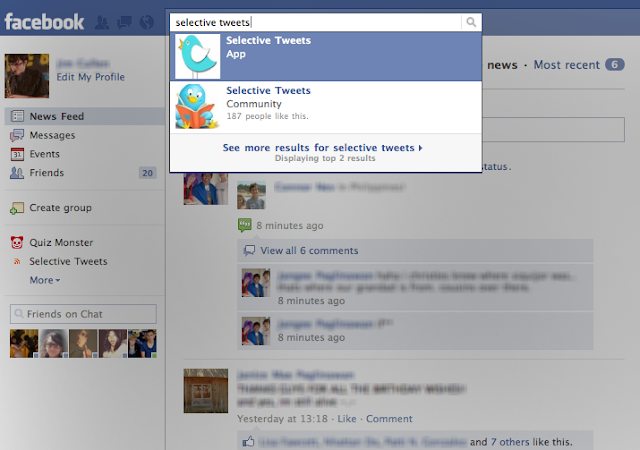
    Select the App with that name.
  2. Type in your Twitter handle in the box next to the "@", and click "save"
  3. Then just append "#fb" to the end of any tweet, and it will automatically be sent to Facebook as your status. Read past the break for a few little extras

Sunday, August 22, 2010

Follow up: Mac start-up problem

As I wrote about in a previous post, I was having trouble getting my new Mac to start up. This is just a quick follow up to say that it’s now working. In fact, shortly after I posted my last one, I tried again to shut it down, and it finally turned off!

I turned it back on again, and held option, but it didn’t work, but this time at least it shut down. Then I tried C, and then D, but they didn’t work. Hoping that I could at least get the disk out, I tried holding down the trackpad, to remove the disk on start-up. The disk was removed, and the computer started up correctly. I have yet to shut down the computer again, but will update this post once I have, to see whether or not I have the same problem again, but I expect not to.